



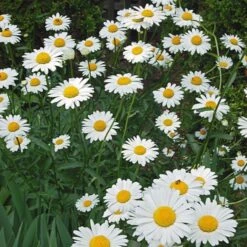
Leucanthemum X Superbum ‘Becky’
Original price was: $15.00.$10.50Current price is: $10.50.
- Excellent customer service online in a timely manner
- The Quality Choice for Smart Shoppers
- 100% High Quality Guarantee
- Get the quality you deserve, for less.

Product Details
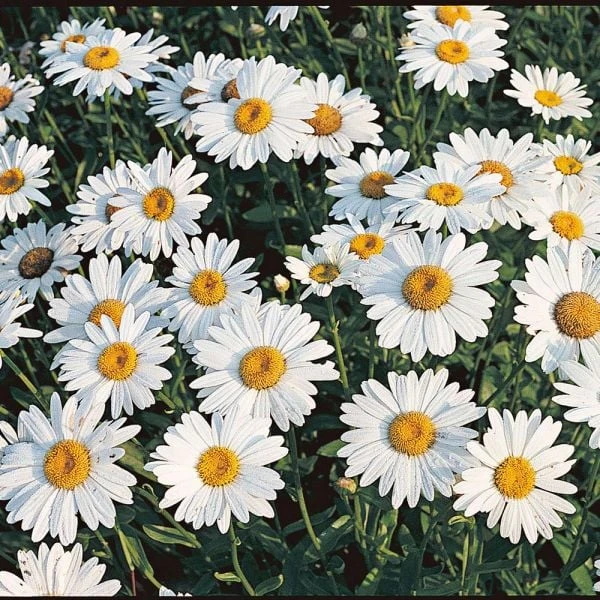
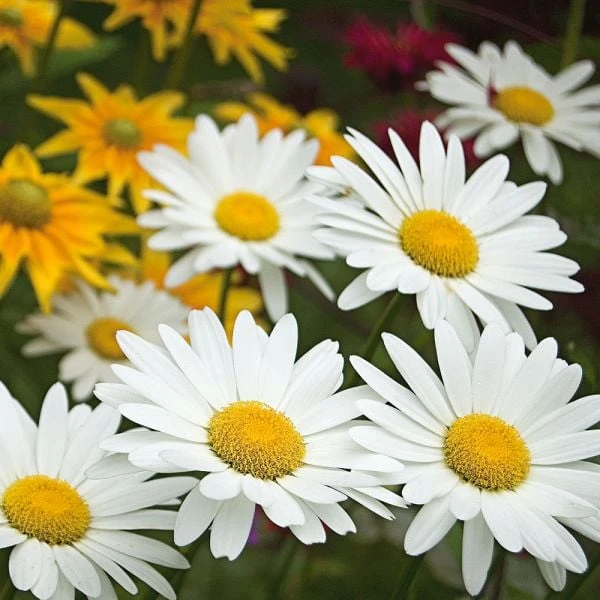
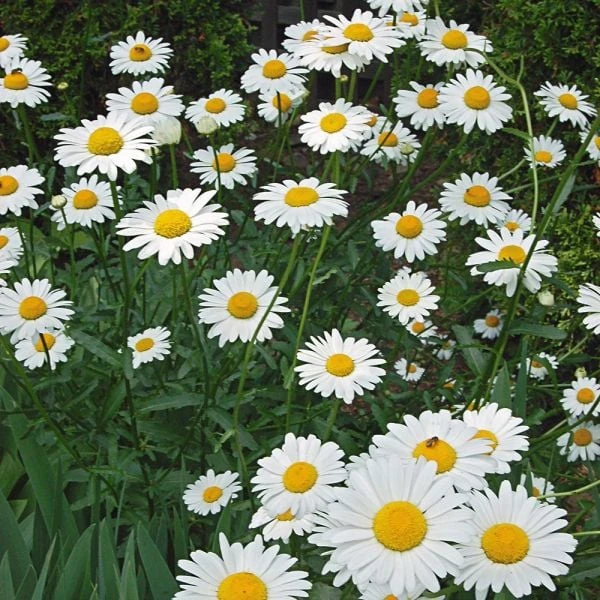
From July to September, old-time summer garden favorite Leucanthemum x superbum ‘Becky’ becomes a living bouquet of huge (4″) Daisies that stand 3–4′ tall. Even at this height, staking isn’t required, and the plant’s long, strong stems are great for cutting. ‘Becky’ originated in the Atlanta area and is an excellent Shasta Daisy for the South, although it thrives in New England as well.
Shasta Daisies (Leucanthemum x superbum) are the same plants known by many under the genus Chrysanthemum, but as longtime gardeners, we’ve become used to having plant names change. What hasn’t changed is the plants themselves, which are some of the showiest and most reliable perennials for the summer garden. At peak bloom, they produce a mass of daisies so clean and bright they compete in brilliance with the sun. All they require is well-drained soil and lots of sun. When you want Daisies, this is where to look.
For more information on the growing and care of Leucanthemum, click growing guide.
How to see a 3D model of this item
1. Click on the 3D Model image in the image gallery.
2. A pop up will open with the 3D model of the item. You can move the 3D model around with your mouse if on a computer or with your finger on your device. The 3D model represents a mature plant that is approximately 3 years old.
How to use (AR) Augmented Reality to see this item in your garden
1. Make sure your device has a camera and is connected to the internet. If you want to see the item in your garden and are on your computer, click the 3D Model image on your computer and a QR code will open that will allow you to open the link on your device.
2. Once you have clicked the 3D Model image on your device, go outside and face your device camera toward where you would like to see how the item will look in your garden.
3. To see the item in your own garden, click on the [AR] link in the lower right-hand corner of the screen. You might need to wait a few seconds for the AR experience to load. This only works from a device with a camera such as a mobile phone or a tablet.
4. Allow your device to access the camera, if prompted.
5. Point your device’s camera at the area where you want to place the plant or garden.
6. The website will use Augmented Reality to place a virtual image of the item in the space you are looking at through your device’s camera. You can adjust the position of the virtual item by using two fingers to resize the item, or one finger to move the item around the screen, until you’re satisfied with how it looks. To get an accurate sense of the size of this item, we recommend measuring out the area where you would like to plant it (the spacing for this item is 24-36″), and staking or flagging the borders so that you will have an accurate idea for the mature size of the item while using AR (the magnifier only enlarges the 3D model of the item, it does not change the actual size of the item). The 3D model represents a mature plant that is approximately 3 years old.
7. Move your device around to view the item from different angles and get a better idea of how it will look in your garden.
8. Once you have everything lined up, take a screenshot or tap the screen to show the AR experience controls and press the white circle to take a photo of the AR image to save it for future reference.
9. If you decide to purchase the item, you can use the AR image as a reference for placement in your garden.
Be the first to review “Leucanthemum X Superbum ‘Becky’”
Related products

Amaryllis, Wreaths & Gifts

Amaryllis, Wreaths & Gifts
Amaryllis, Wreaths & Gifts

Amaryllis, Wreaths & Gifts

Amaryllis, Wreaths & Gifts
Amaryllis, Wreaths & Gifts
Reviews
There are no reviews yet.